Miscellaneous topics
Operating the LED
def test_led():
    led.blink(5)
    time.sleep(3)
    led.off()
Waiting for a button press
There are 3 buttons on the XRP control circuit board that are:
- Reset
Resets the robot controller causing the main program to start up after initialiization
- Boot Sel
Puts the contoller into boot loader mode when pressed while power is being applied. The controller will appear as a connected drive that can accept new firmware that is dragged to it
- User
A selectable button that can be read by the robot program using functions in the XRP software library.
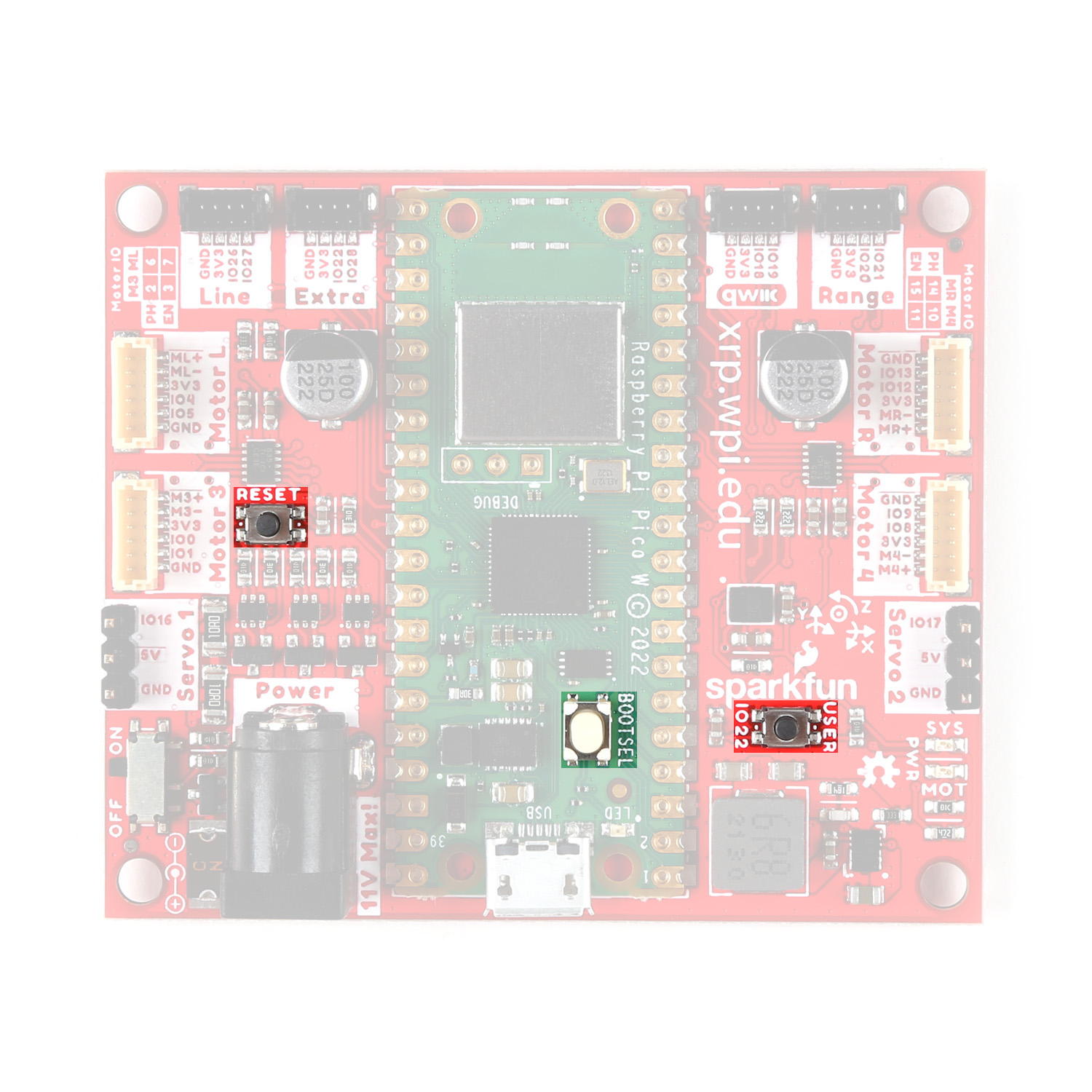
Pushbuttons on the XRP controller circuit board
To have the robot program wait for the user to press the «User» button, use the «Wait for button press» block if you are writing a Blockly program or with the «board.wait_for_button()» button in Python.
Feedback-based control
Custom controllers
The set_speed() method of EncodedMotor uses a pretuned PID controller to maintain the speed through adjusting the the raw effort. However, through:
encodedMotor.set_speed_controller(controller)
a custom controller can be specified. The method expects a Controller object. The Controller abstract class is defined with the following three methods:
update(error) -> float
This method is called at every tick, and returns an output value given an input error value. This would be where PID logic would take place, for example.
is_done() -> bool
This is a getter method that returns True if the controller has reached the target value, and False otherwise.
clear_history()
The intent of this method is to reset any internal state of the controller, i.e. integral sum. This is called on the speed controller when set_speed() is called on the encoded motor.
By subclassing the Controller class and implementing these three methods, a custom controller can be used to control the speed of each motor.
Inbuilt PID controller
The PID class is a library-provided subclass of the Controller class, and provides a full PID implementation. The PID constructor takes in the following parameters, each with default values:
- kp = 1.0
Proportional gain constant
- ki = 0.0
Integral gain constant
- kd = 0.0
Derivative gain constant
- minOutput = 0.0
Constrain output to this minimum value
- maxOutput = 1.0
Constrain output to this maximum value
- maxDerivative = None
Constrain derivative term to this maximum magnitude
- tolerance = 0.1
Error tolerance for is_done()
- toleranceCount = 1
Number of consecutive ticks within tolerance to return True for is_done()
The default set_speed() controller uses a PID controller with the default parameters. However, it may be useful to pass in a PID object to set_speed_controller() with customized parameters to fine-tune the controller.